18 Shopify Sidekick prompts that reveal the gifting hiding in your store
Gift orders are already happening on your store, at higher order values, to people who are not your customers yet. These prompts find them in about ten minutes.
There's a channel running through your store that probably appears nowhere in your reporting.
Some of your orders are gifts. Across Giftnote, gift orders have a 25% higher order value, and every one introduces your brand to a recipient who may never have bought from you before.
The problem is that physical gift orders aren't neatly labelled as gifts in standard Shopify order data.
Shopify Sidekick can still help you look for the signals.
It can analyze store data, build reports, create customer segments and generate Shopify Flow workflows from plain-language prompts. That makes it a useful place to start investigating how gifting shows up in your store.
Some of the prompts below use shipping behaviour as a proxy for gifting, so treat the results as signals rather than an exact count.
Here are the prompts worth trying.
Find out whether gifting is a rounding error or a channel
Billing address not matching shipping address is the closest thing to a gift flag that exists in raw Shopify data. Start there.
1. "Compare average order value for orders that shipped to a different address than the billing address against orders where they matched, for the last 12 months."
2. "Show me my order volume by day for the last two years and identify the dates with the biggest spikes above the trailing 30-day average."
3. "Which of my products are most often bought in orders that ship to a different address than the billing address?"
4. "What percentage of my orders in November and December shipped to an address the customer had never used before?"
5. "Compare the repeat purchase rate of customers whose first order shipped to their own address against those whose first order shipped elsewhere."
Number five is the one that changes minds in a meeting. Almost nobody has run it.
Giftnote POV
Run prompt one first. Within about two minutes you will know whether gifting is worth a quarter of your attention or none of it, and the answer surprises most brands.
Find the gifts you should be merchandising
6. "Create a collection called Gifts Under $50 and add every product priced between $20 and $50 that has more than 20 reviews and an average rating above 4."
7. "Suggest five gift collections I could build from my existing catalogue based on occasion rather than product category, and tell me which products would go in each."
8. "Which of my products have no gift-related keywords in their descriptions but are frequently bought as gifts based on shipping address mismatch?"
9. "Draft SEO page titles and meta descriptions for gift collections targeting birthday, anniversary, new baby, thank you and Christmas."
Prompt eight tends to find something useful, a product that quietly sells as a gift all year while your copy talks about it as a self-purchase.
MìLà, the frozen soup dumpling brand, took this to its conclusion and gave gifting an entire page of its own rather than a footer link. perfectwhitetee did the same with gift cards, building a separate design for each occasion instead of one generic card.
Get the operational detail right before peak
10. "Which of my products have the longest average fulfilment time? I need to set a gifting cut-off date for Christmas."
11. "Based on my carrier delivery times over the last year, what is the latest order date that would reliably arrive before 24 December for each of my shipping zones?"
12. "Show me orders from last December that were delivered after 25 December, and what they had in common."
13. "List every product in my catalogue that can't ship to a PO box."
Eleven saves you a Q4 support crisis. Twelve tells you whether last year's cut-off was right, which is a different question from whether it felt right.
Use Shopify Flow to tag gifting signals
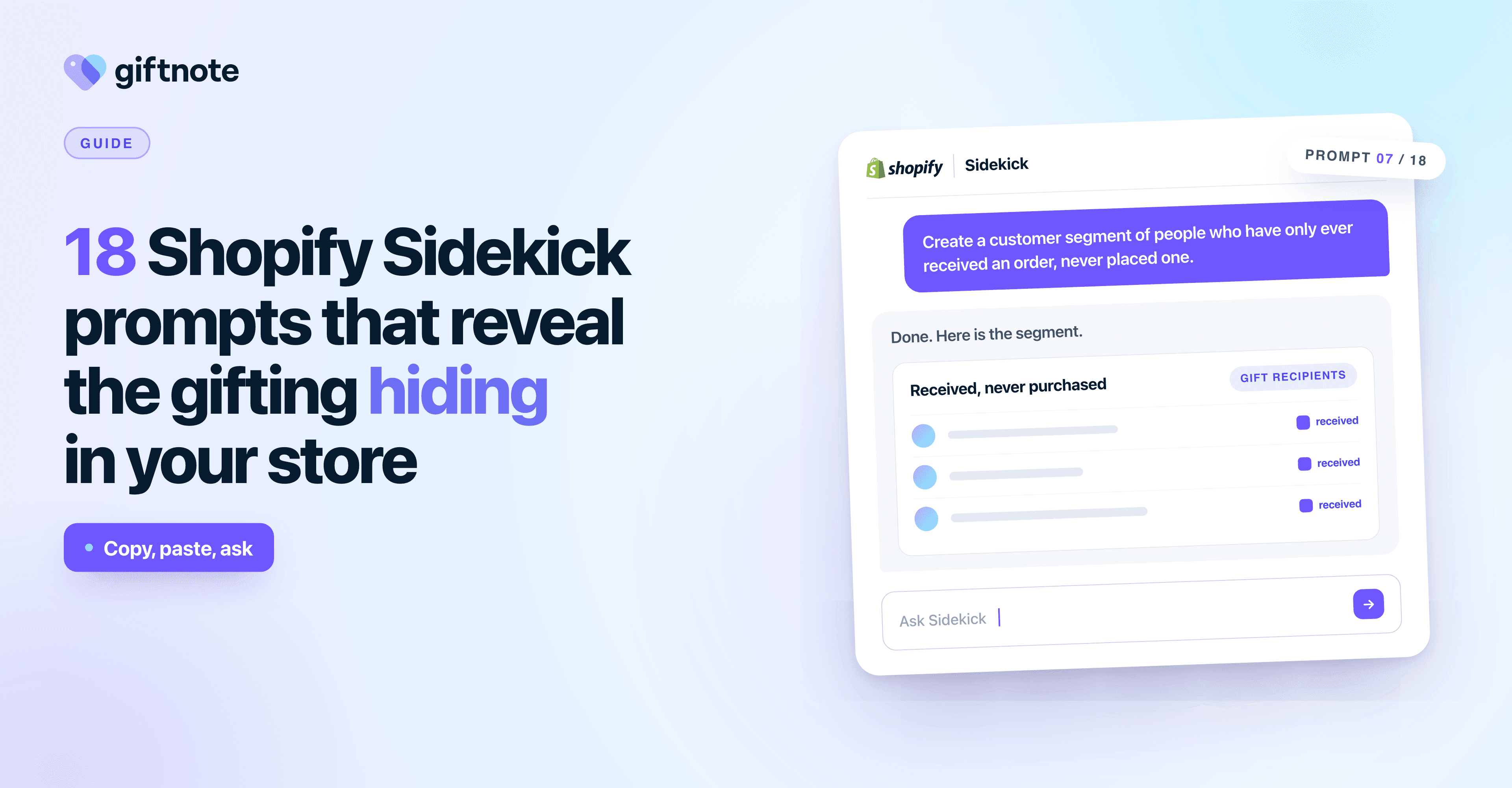
Sidekick will build Shopify Flow automations from a plain description, which makes it the fastest route to separating gift orders in your data.
14. "Create a Shopify Flow that adds the tag 'gift-order' to any order where the shipping address doesn't match the billing address."
15. "Create a Shopify Flow that tags orders containing a gift message, so my fulfilment team can pick them for special packaging."
16. "Build a Flow that alerts my team in Slack when a gift order over $200 is placed."
Find the customers you aren't marketing to
17. "Create a segment of customers whose orders always ship to an address other than their own, and tell me their average annual spend."
18. "Which customers placed a gift order in the last 12 months but haven't purchased since?"
Seventeen finds your habitual gifters. They spend more than your average customer, they buy on a predictable calendar, and hardly anyone markets to them as what they are. Eighteen finds the ones you're about to lose.
Where Sidekick runs out of road
Sidekick can only work with the gifting signals available in your Shopify data.
For physical gift orders, that often means you're looking for proxies rather than a clean record that tells you an order was a gift, who the recipient was and what happens next.
Shipping behaviour can help reveal the shape of gifting, but it will miss gifts shipped to the buyer to hand over in person. It can also count non-gift orders that happen to ship somewhere different.
Giftnote's free Gift Audit runs this scan for you. Pick a date range and it flags orders that look like gifts, such as ones shipped to an address that doesn’t match the buyer’s, plus gift cards sent without Giftnote. It’s an estimate built on patterns from more than 680,000 gifts, and it shows how your gift orders compare with the rest. Run a free Gift Audit.
More importantly, identifying a likely gift order doesn't necessarily identify the person on the other end of it.
That's the real prize, and it's the gap Giftnote fills.
The gift is tagged as a gift from the moment it's placed rather than inferred afterwards. The message reaches the recipient as its own branded moment on the day the parcel lands.
And the recipient becomes a real contact with their own opt-in, flowing into Klaviyo as an audience you can market to.
Run the prompts above and you will see the shape of your gifting. Capture the recipients and you get to do something about it.
Frequently asked questions
What is Shopify Sidekick?
Sidekick is Shopify's built-in AI assistant in the Shopify admin. It can help analyze store data, create reports and customer segments, generate content and build Shopify Flow workflows using plain-language instructions.
Can Shopify Sidekick identify gift orders?
Not directly, because Shopify has no native gift order field. The closest proxy is asking Sidekick for orders where the shipping address differs from the billing address, which catches most gifts shipped straight to a recipient.
How do I find out how many of my Shopify orders are gifts?
Ask Sidekick to compare orders where billing and shipping addresses differ against those where they match, then look at volume, order value and repeat rate. For an exact figure rather than a proxy you need an app that tags gift orders at purchase.
Can Sidekick build Shopify Flow automations?
Yes. Describe the automation in plain language and Sidekick constructs the trigger, condition and action. Tagging gift orders is the most useful example for gifting.
How do I market to gift recipients in Shopify?
You can't with native Shopify, because a recipient is only a shipping address until they buy something themselves. Capturing them as a contact with their own opt-in requires a gifting app such as Giftnote.
What is the best Shopify app for gift messages?
Giftnote adds gift messaging to the product page, cart or checkout, delivers the message to the recipient as a branded page by email or SMS timed to delivery, and captures the recipient into Klaviyo as a distinct audience.